Pantheon is a great Drupal and WordPress hosting. It has a nice UI for deployments. However, doing deployments from UI can have some issues.
Problems we solve:
-
Only one person on the team can do deployments to Test / Prod environment in Pantheon
-
Deployments need manual steps so that they can be error-prone
-
There is no easy way to see what code is currently in Production unless you log in to Pantheon and check it there.
The solution to these could be full deployment automation. Here is how you can accomplish it with Github and Github Actions.
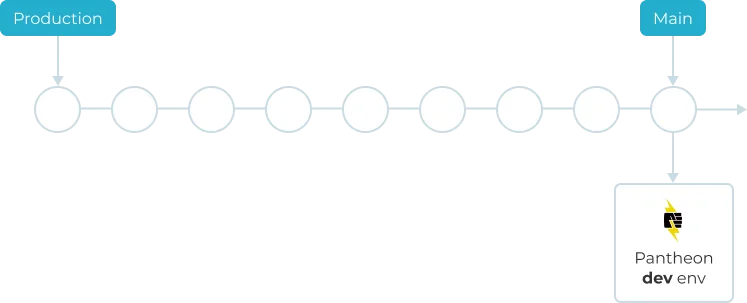
Github to have two branches. Main and Production. Main is where all development happens. On every merge to this branch, we sync the code to Pantheon’s repo and run automated deployment to the Dev environment.
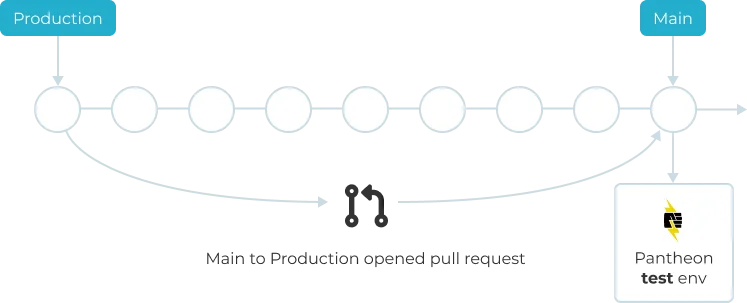
Once code is ready for testing you can create a pull request to GitHub’s production branch. This is when we pull database/files from production and deploy to Pantheon’s Test environment.
Once we merge to Production branch we do a deployment to Live Pantheon’s environment.
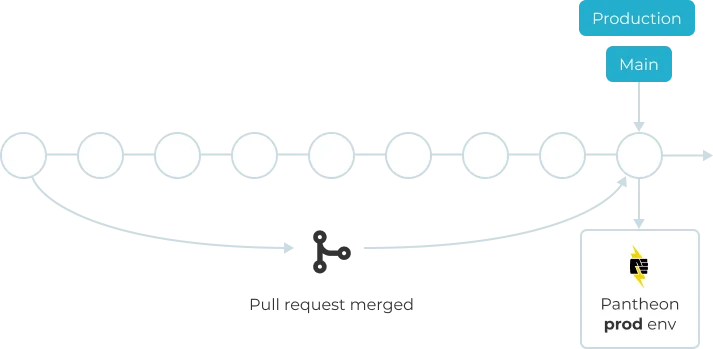
Now you always know what code on Pantheon’s Live environment as it mirrors your Production branch.
To implement this idea we will need three GitHub pipelines:
-
Deploy-dev (sync main branch to master in Pantheon and run the release)
-
Pull-request-production (deploy to Test Pantheon env when pull request created)
-
Deploy-production (deploy to Pantheon
GitHub actions
deploy-dev.yml pull-request-production.yml deploy-production.yml
Introduce Diffy visual regression testing
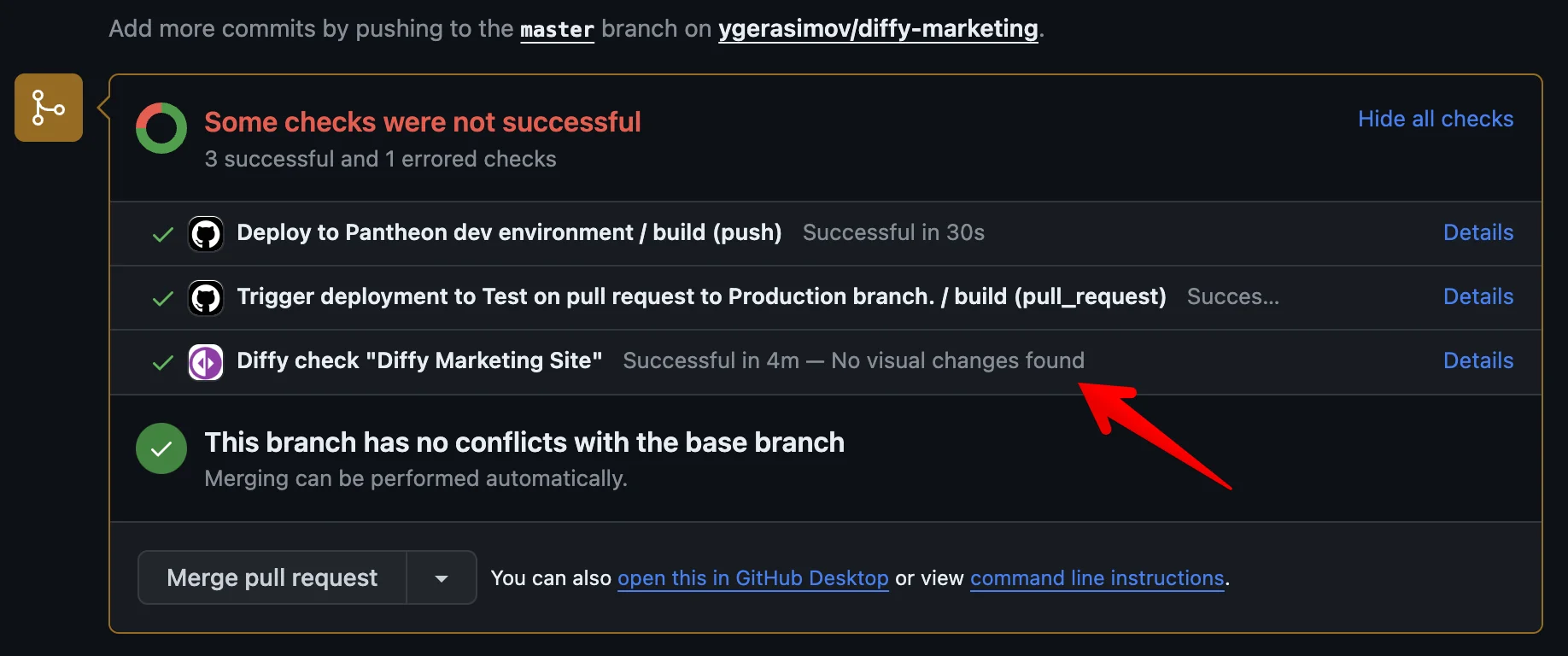
Once you deploy to the Test environment, you can run visual regression testing automatically, and your results are posted back to the pull request.
For this, you need to specify the Github repo in your project settings
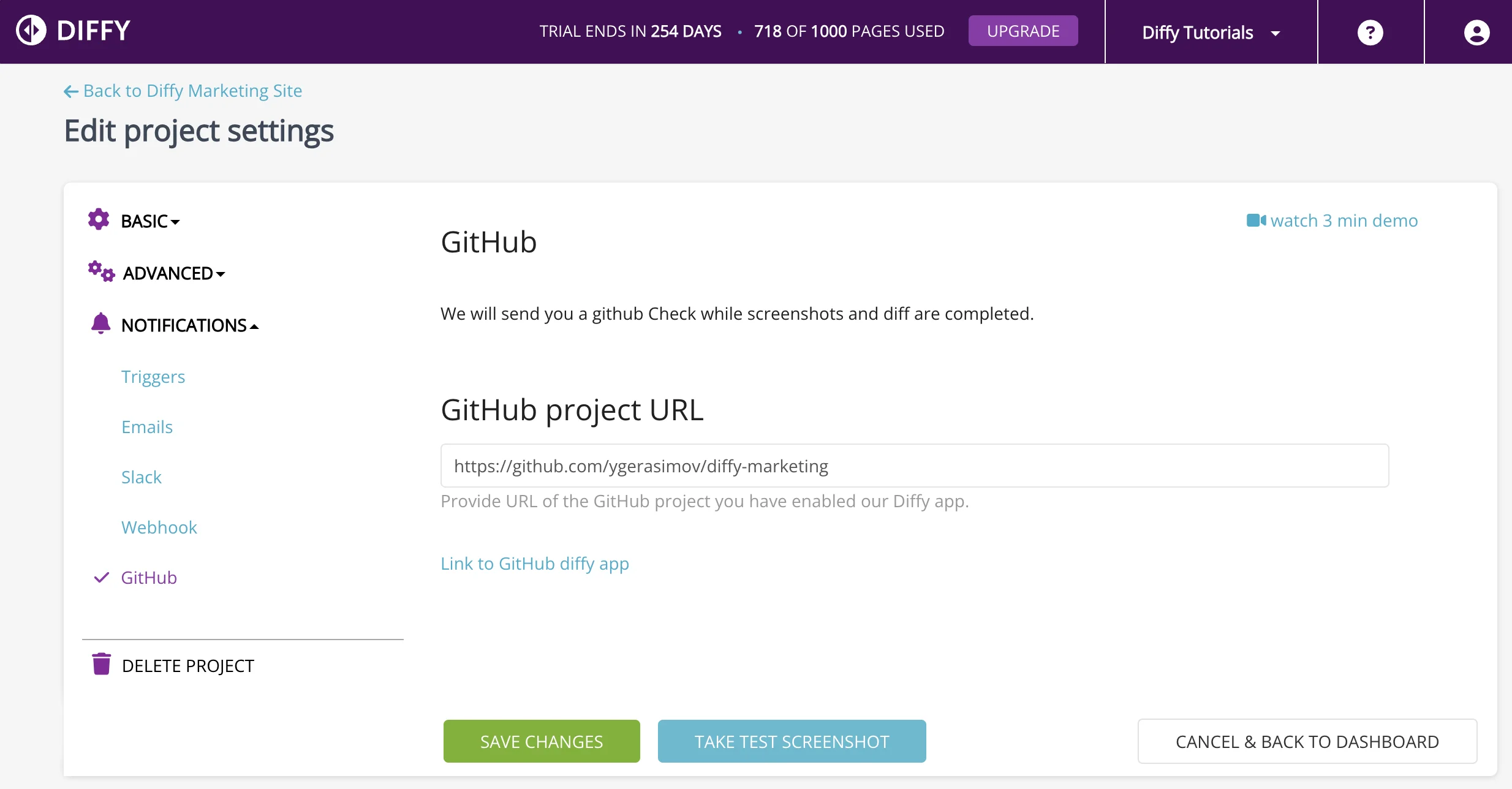
Install Diffy’s check to your GitHub repo.
Modify your pull-request-production pipeline.
As a result, you get the following check in your GitHub pull requests