A lot of web pages right now have some elements that get activated by clicking on the pages. For example, sliders, or dropdown menus, or tabs. How to take screenshots of those pages too? For visual regression testing it matters: a menu that stopped opening is as much a regression as a broken page.
Here is an example of how you can do that with Diffy.
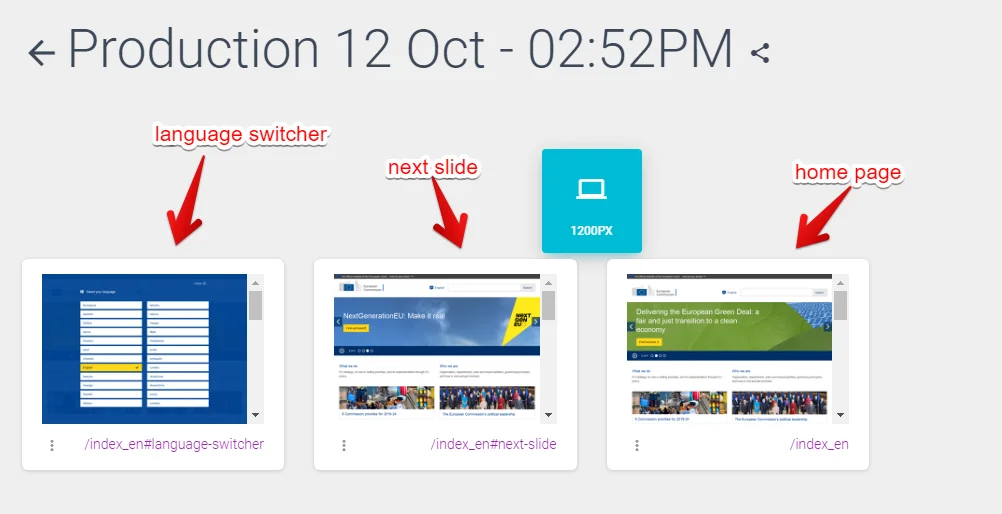
Let’s take an example of the site https://ec.europa.eu/info/index_eu. We would like to take screenshots of not only the homepage but also the language switcher and the second slide on the homepage slideshow.
For that we can create three URLs from the homepage:
https://ec.europa.eu/info/index_en
https://ec.europa.eu/info/index_en#language-switcher
https://ec.europa.eu/info/index_en#next-slide
And now we can add custom javascript (under Project Settings > Advanced > Custom Javascript) that gets injected into the pages to trigger actions based on the URL like:
if (window.location.hash == '#language-switcher') {
  // trigger the language switcher.
}

if (window.location.hash == '#next-slide') {
  // trigger the slider to move it one the next one.
}
This will make three screenshots of the homepage but with different actions run. So we get all the elements covered.